


 Hrvatski (Hrvatska)
 PRESS - Assigning template articles to journalists
After placing the template on the pages, editors should assign articles to individual journalists.
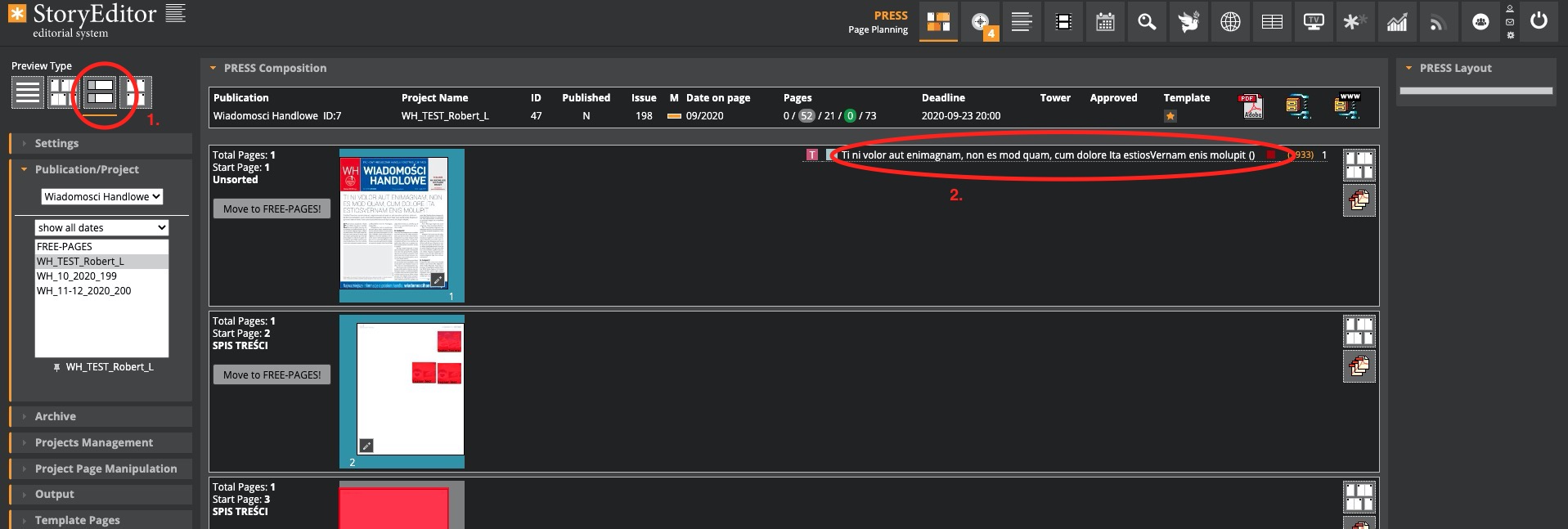
Press module -> Preview Type -> Block Preview type
It is necessary to open the Block preview type in the Press module (1.), then click on the title of the article on the right (2.)
A window for editing article details will open:
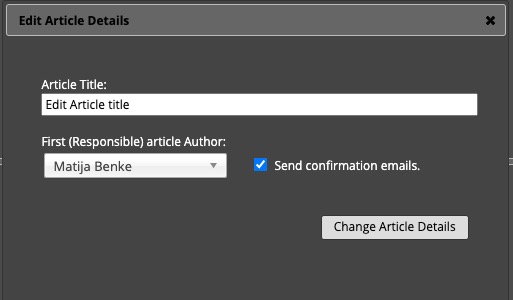
Here the editor can:
- enter the working title of the article
- choose the author of the article
- send mail to the author of the article
After saving the changes by clicking on "Change Article Details" in the list of articles, we will get a green icon, which indicates that the article has been assigned to a journalist.
