


 Hrvatski (Hrvatska)
 Preview Type
Table with basic information is placed at the top of the page:

| Publication | publications name, ordinal number |
| Project name | usually contains abbreviation of publication, ordinal number and date of publishing |
| ID | identification number of the edition |
| Published | whether the edition is sent to press or not |
| Issue | publication number |
| M | mutation version (short code) |
| Date on page | the date that will be shown on the page (it is linked to tag date in Indesign) |
| Pages | the number of pages (number of pages without defined Sections / number of pages in the first status / number of pages in the working status / number of pages in the last status / total number of pages in project) |
| Deadline | deadline for sending to press (determined when creating editions) |
| Approved | approval from the authorized person |
| Template | shows whether the project is saved as a template |
| Download project pdf | enables downloading of all PDF files for press in a single document; downloading compressed ZIP files with PDF files, as well as downloading ZIP file containing PDF files for web |
At the top left corner of Press module there is a menu to select the way basic page will be displayed; within the menu there are different functions used depending on the usage of the module.
Within menu are 4 working models
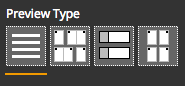
- Table preview type
- Layout preview type
- Block preview type
- Press Forms preview type